Can You Use a Visa Gift Card on Steam?
Updated September 2, 2026 · Reviewed by Kirill Novikov, FlipGift founder
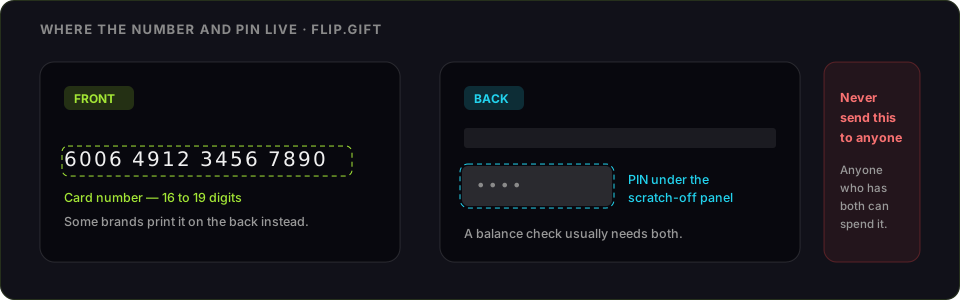
Often yes — and when it fails, the reason is usually fixable. A prepaid Visa is processed like any other card at Steam checkout, so it has to pass the same billing-address check. A card straight off the rack has no name or address registered against it, fails that check, and comes back as a flat decline with no explanation. Register the card first and most of those declines disappear.
If it still will not go through, there is a workaround further down that involves no card check at all.
How to add a Visa gift card to Steam
- Register the card at the issuer site printed on the back — your name, address and ZIP. This is the step that decides most outcomes. How to activate and register a Visa gift card covers it per issuer.
- Check the balance while you are there, so you know exactly what you have to spend. Our Visa balance guide lists where each issuer's lookup lives.
- At Steam checkout, choose to pay by card and enter the number, expiry date and security code.
- Enter the billing address exactly as registered with the issuer.
- Keep the purchase comfortably under the balance — a payment that lands within pennies of the remaining value is asking to be declined.
Why Steam declines a Visa gift card
- No billing address on the card. The most common cause by a wide margin. The card works fine in a shop and fails online, which is what makes it confusing.
- The address does not match. Steam compares what you type against what the issuer holds. Moving house and not updating the issuer breaks it just as effectively as never registering.
- Region and currency mismatch. A Steam account is tied to a store region and currency. A card issued for another country can be refused on that basis alone.
- The balance is too tight. Card authorisations can be for slightly more than the purchase price. A card holding exactly the game's price may fail.
- Repeated failed attempts. Trying the same declined card over and over is worth avoiding — it does not become more likely to work, and a run of failures on an account is not something you want to invite.
The workaround that always works: buy a Steam gift card in a shop
If the card will not clear online, spend it in person instead. Steam gift cards are sold at supermarkets, electronics shops and pharmacies, and a physical purchase runs no billing-address check — the card either has the balance or it does not.
Buy a Steam gift card for an amount your Visa card covers, then redeem the wallet code on your account. The value lands in your Steam Wallet and spends on games, DLC and in-game items exactly like any other funds. How to redeem a Steam gift card has the exact steps and the errors to watch for.
This is also the answer for a card too small to buy the game you want: put its value into the wallet, top the wallet up separately, and the wallet covers the purchase in one go.
"Redeeming" a Visa gift card on Steam — the thing people search for that does not exist
A fair number of searches ask how to redeem a Visa gift card on Steam. It cannot be done, and it is worth being precise about why: redeeming is for Steam Wallet codes, which are strings of letters and numbers issued by Valve. A Visa gift card is a payment card. It has a long number, an expiry date and a security code, and it is used at checkout — there is no code on it that Steam's redemption box will accept.
So the two routes are: pay with the card at checkout, or convert it into a wallet code by buying a Steam gift card with it.
Steam Wallet funds are a one-way door
Worth knowing before you commit the value. Money in a Steam Wallet spends on Steam and nowhere else — it cannot be transferred to another account, refunded to a card or withdrawn as cash. If there is any chance you would rather have the money than the games, decide that before you top up rather than after.
If the balance will not clear anywhere
FlipGift cannot buy a prepaid Visa. The marketplace works by having a seller place a real order at a specific store using their own card, and a Visa is not tied to a store (the full reasoning). Resale marketplaces do buy prepaid Visa cards, at roughly 60–85% of face value, and they want the card number and PIN before they pay; the comparison is here. Where else a Visa gift card works covers the stores with quirks, and on Amazon is its own case.
If you also hold a store card
FlipGift covers 198 stores that ship physical orders — Home Depot, Target, Sephora, Best Buy, Lowe's and the rest. For those, you can sell the value through escrow without ever sharing the number or PIN: you keep the card, place a verified buyer's order with it, and the escrowed payment releases once they confirm the parcel arrived. Steam itself is not on that list — there is nothing physical to ship — which is why this page sends you to the shop rather than to us.
Frequently asked questions
Can you use a Visa gift card on Steam?
Does Steam accept prepaid Visa gift cards?
Why was my Visa gift card declined on Steam?
How do I add a Visa gift card to Steam?
How do I redeem a Visa gift card on Steam?
Can I buy a Steam gift card with a Visa gift card?
Can I use a Visa gift card for part of a Steam purchase?
What can I do with a Visa gift card I cannot use on Steam?
More gift cards you can sell this way
From the blog
How to Verify Gift Card Balance Before Trading a Card
Before you list, swap, or sell a gift card, confirm what's actually on it. Here's why balance checks matter and the three fastest ways to do one.
Can You Return Gift Cards? The Real Rules in 2026
Most stores treat gift cards as final-sale. But there are real exceptions — and if yours doesn’t qualify, you still have a way to get full value out.
What to Do With Unwanted Gift Cards: 6 Smart Options
Stuck with a card you'll never use? Here are six realistic options for unwanted gift cards, ranked by how much value you actually keep.