How to Redeem a Steam Gift Card
Updated August 2, 2026 · Reviewed by Kirill Novikov, FlipGift founder
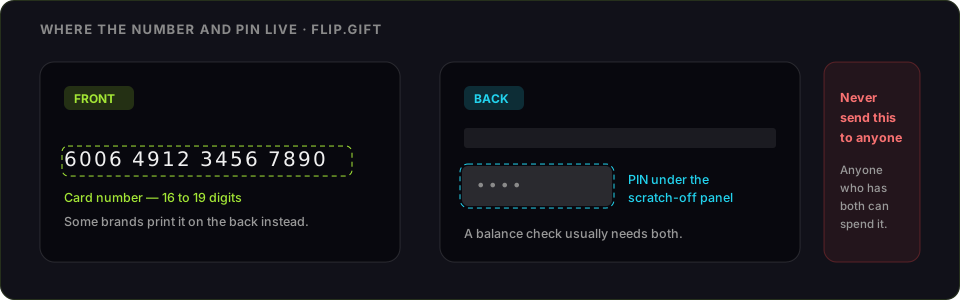
A Steam gift card carries a wallet code, and redeeming it adds funds to your Steam Wallet — spendable on games, DLC, in-game items and the Market. It is not the same thing as a Steam Gift, which is a specific game someone bought for you and which arrives in your inventory instead. Below: the steps, the currency rule that breaks most codes, and what the funds will not do.
How to redeem a Steam gift card
- Sign in to Steam — the desktop client, or store.steampowered.com in a browser.
- Click your account name → Account details.
- Choose Add funds to your Steam Wallet, then Redeem a Steam Gift Card or Wallet Code (direct link: store.steampowered.com/account/redeemwalletcode).
- Enter the code from the back of the card or the email, without spaces.
- Confirm — the funds appear in your Steam Wallet immediately.
What you will need
- The wallet code — letters and digits, under the scratch panel on a physical card
- A Steam account with a matching store currency
- The Steam client or any browser
Steam code not working: what each error means
- "Invalid activation code." Retype it without spaces. The characters are uppercase, and 0/O plus 1/I are the pairs people get wrong. A partly scratched panel does the same thing.
- Currency mismatch — the big one. A wallet code is issued in one currency and only redeems on an account whose store is set to that currency. A US card will not go onto a EUR account. Steam does not convert, and your store country only changes after a purchase from a payment method in the new country. This breaks more gifted cards than anything else.
- "You have exceeded the number of attempts." Steam locks redemption for about an hour after several failures. Waiting is the only fix — more attempts extend the lock.
- "This code has already been redeemed." Single-use per wallet. If you did not use it, the card was compromised before you bought it — Steam support can investigate with the receipt.
- You redeemed a Steam Gift, not a card. A gifted game lands in your inventory under the Steam client's Games menu, not in your wallet.
What Steam Wallet funds can and cannot do
They buy anything on the Steam store and the Community Market on that account. They cannot be transferred to another account, cannot be withdrawn as cash, and cannot be refunded — a Steam refund returns money to the wallet, not to your bank. Wallet funds also cannot be sent as a gift; only games can be gifted.
If you are never going to use it
Wallet funds are account-locked the second the code goes in, and there is no undo. If Steam is not where you spend, decide before you redeem.
FlipGift cannot buy this one, and it is worth saying why rather than burying it. Our escrow marketplace works by having a seller place a real, shipped order with their own gift card — the buyer gets a parcel, the money releases on delivery, and the code never changes hands. A code that only buys digital content has no parcel behind it, so there is nothing for a seller to do here. Store cards that ship things (Amazon, Home Depot, Nike and ~190 others) work here; this one does not.
That leaves the resale marketplaces, and the trade they ask for is the whole risk: they can only pay you by taking the code, and whoever holds the code can spend it. Compare CardCash and its alternatives — what they pay and, more importantly, how each one handles the code — before you pick one. Two rules either way — check the balance immediately before you sell, and never send a code to a private buyer who promises to pay afterwards.
Official source: Steam's wallet code redemption page.
Official source: Steam gift card page
Frequently asked questions
Where do I redeem a Steam gift card?
Why does Steam say my wallet code is invalid?
What does "you have exceeded the number of attempts" mean?
Is a Steam gift card the same as a Steam Gift?
Can Steam Wallet funds be transferred or cashed out?
Can I sell a Steam gift card instead of redeeming it?
Guides for other gift cards
From the blog
How to Verify Gift Card Balance Before Trading a Card
Before you list, swap, or sell a gift card, confirm what's actually on it. Here's why balance checks matter and the three fastest ways to do one.
Can You Return Gift Cards? The Real Rules in 2026
Most stores treat gift cards as final-sale. But there are real exceptions — and if yours doesn’t qualify, you still have a way to get full value out.
What to Do With Unwanted Gift Cards: 6 Smart Options
Stuck with a card you'll never use? Here are six realistic options for unwanted gift cards, ranked by how much value you actually keep.