How to Redeem a PlayStation Gift Card
Updated August 2, 2026 · Reviewed by Kirill Novikov, FlipGift founder
A PlayStation gift card adds funds to your PlayStation Network wallet, spendable on games, add-ons and PlayStation Plus. The code is 12 digits, the account region has to match, and the wallet has a ceiling most people do not know about until a code bounces off it. All three below.
How to redeem a PlayStation gift card
- Sign in to the PlayStation Store — on the console, or at store.playstation.com in a browser.
- Select your profile picture → Redeem Codes. On console, scroll to the bottom of the Store menu to find it.
- Enter the 12-digit code from the back of the card or the email.
- Confirm — the funds are added to your PSN wallet straight away.
- The wallet is used first at checkout, before any saved payment method.
What you will need
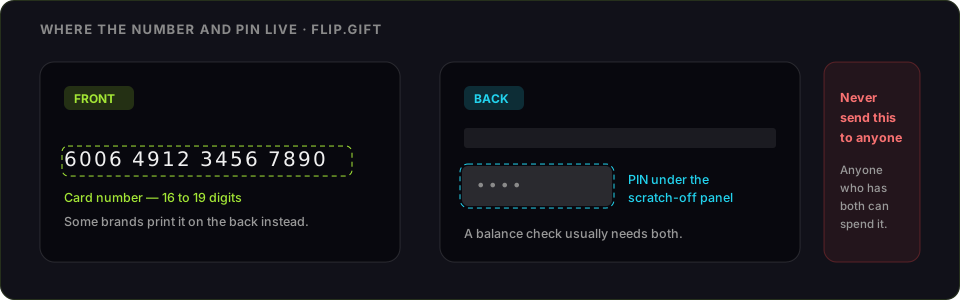
- The 12-digit voucher code, under the scratch panel on a physical card
- A PlayStation Network account in the card's region
- A PlayStation console or any browser
Check the wallet limit before you redeem
PSN wallets have a maximum balance, and a code that would push you over it is refused outright rather than partly applied. If you are sitting on a large balance, spend some of it down first, then redeem. This is the failure that looks least like a card problem and is the easiest to fix.
PlayStation code not working: what each error means
- "The code has expired or is incorrect." PlayStation's catch-all. In practice: a mistyped digit, a partly scratched panel, or a code for another region.
- Region mismatch. The card's country must match the PSN account's country, and the account country is fixed when the account is created — it cannot be changed later. A card bought abroad cannot be converted.
- "This code has already been used." One wallet, once. If it was not you, the card was compromised before purchase — keep the receipt and contact PlayStation Support.
- The wallet limit. See above — the code is rejected, not partly credited.
- Wrong code type. A PS Plus voucher, a game download code and a wallet top-up card all use the same Redeem Codes box, but only the top-up card adds funds.
What PSN wallet funds can and cannot do
They buy anything on the PlayStation Store for that account, including PS Plus. They cannot be transferred between accounts, cannot be refunded to a bank, and do not cross regions. Funds on a sub-account are controlled by the family manager, which is worth knowing before redeeming onto a child's account.
If you are never going to use it
Wallet funds attach to one PSN account permanently and do not cross regions. The choice exists only while the code is unredeemed.
FlipGift cannot buy this one, and it is worth saying why rather than burying it. Our escrow marketplace works by having a seller place a real, shipped order with their own gift card — the buyer gets a parcel, the money releases on delivery, and the code never changes hands. A code that only buys digital content has no parcel behind it, so there is nothing for a seller to do here. Store cards that ship things (Amazon, Home Depot, Nike and ~190 others) work here; this one does not.
That leaves the resale marketplaces, and the trade they ask for is the whole risk: they can only pay you by taking the code, and whoever holds the code can spend it. What each route actually pays for a PlayStation card sets out the numbers first. Two rules either way — check the balance immediately before you sell, and never send a code to a private buyer who promises to pay afterwards.
Official source: PlayStation's code redemption page.
Official source: PlayStation gift card page
Frequently asked questions
Where do I redeem a PlayStation gift card?
Why will my PSN code not redeem?
Is there a limit on the PSN wallet?
Can I use a PlayStation gift card from another country?
Can PSN wallet funds be transferred or refunded?
Can I sell a PlayStation gift card instead of redeeming it?
Guides for other gift cards
From the blog
How to Verify Gift Card Balance Before Trading a Card
Before you list, swap, or sell a gift card, confirm what's actually on it. Here's why balance checks matter and the three fastest ways to do one.
Can You Return Gift Cards? The Real Rules in 2026
Most stores treat gift cards as final-sale. But there are real exceptions — and if yours doesn’t qualify, you still have a way to get full value out.
What to Do With Unwanted Gift Cards: 6 Smart Options
Stuck with a card you'll never use? Here are six realistic options for unwanted gift cards, ranked by how much value you actually keep.